

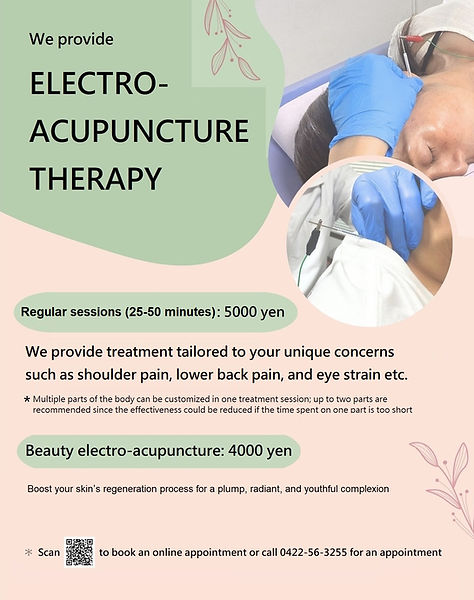
Click below the "book now" button to make an electroacupuncture appointment online



User guide
First of all, which one to choose? Scroll down and look for the one matching below the screen shot (Tip: it is the only one with an email address)

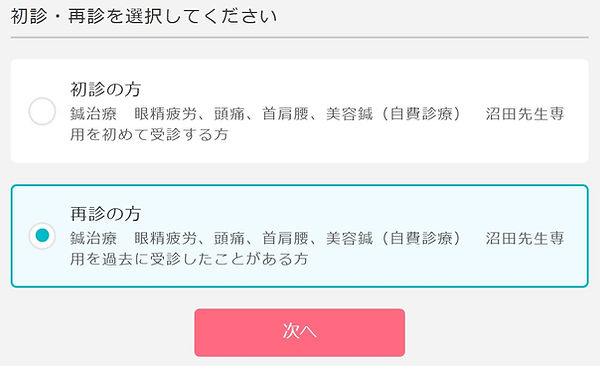
Choose if this is your first visit to the clinic or if you are a returning patient
On your screen, you will see “My first time visit” (初診の方)on the top, and “I am a returning patient”(再診の方)at the bottom.

Select the service : regular session (5000 yen) or beauty electro-acupuncture (4000 yen)

Select date and time


Create an appointment account (アカウント登録) or log in(ログイン) if you already have an account

Enter your information to create an account

診察券番号:patient number
氏名:your first name and last name (e.g. Hippocrates van Kos)
ふりがな:if you don't know your English name in Hiragana, simply type your first name and last name again (e.g. Hippocrates van Kos)
生年月日:date of birth (YYYY/MM/DD)
メールアドレス:email address
パスワード:password
Check your booking information and tap the confirmation button (予約を確定する)

Two more steps before you complete the appointment booking
-
Double check the information carefully and make sure it is correct.
-
Tap “confirm my appointment” (予約を確定する) to complete the booking.
⑧ You have made an appointment!

If you still don't receive a confirmation email, please give us a call.