top of page


下の「電気鍼の予約」ボタンをクリックすると予約サイトに移動できます


ネット予約のご案内
予約ページの下までスクロールしてください

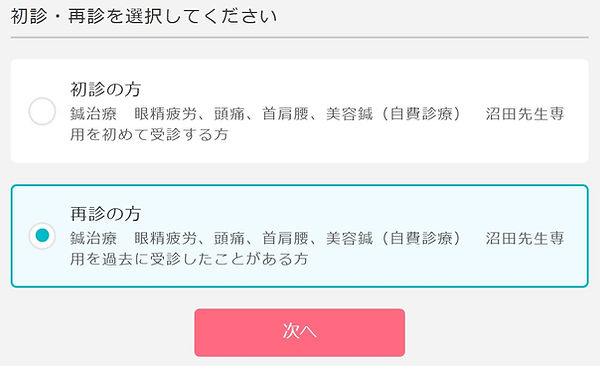
初診/再診選択
On your screen, you will see “My first time visit” (初診の方)on the top, and “I am a returning patient”(再診の方)at the bottom.

予約内容

⑤ 日付選択


アポクルアカウント

入力内容を確認する

診察券番号:patient number
If this is your first visit or if your don’t know your patient number, tick the checkbox.
氏名:your first name and last name
ふりがな:your first name and last name in Hiragana
生年月日:date of birth (YYYY/MM/DD)
携帯番号:your phone number
メールアドレス:email address
⑦ 予約を確定する

Two more steps before you complete the appointment booking
-
Double check the information carefully and make sure it is correct.
-
Tap “confirm my appointment” (予約を確定する) to complete the booking.
⑧ 予約完了!

If you still don't receive a confirmation email, please give us a call.
bottom of page